


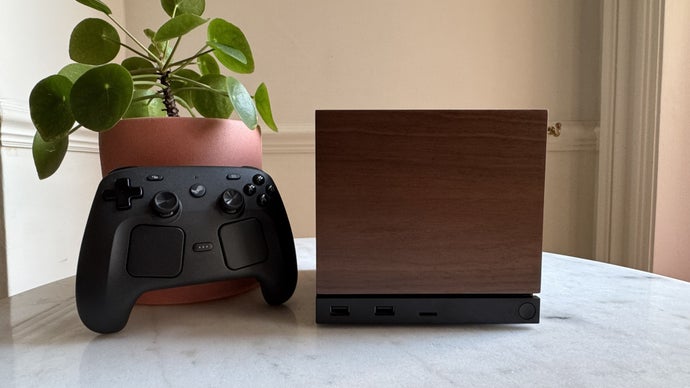
Valve's Steam Machine is a small living-room console that runs SteamOS — the same operating system as the Steam Deck. So the question writes itself: if Decky Loader works on the Deck, does the same install work on the Steam Machine? The honest answer is that nobody can give you a guaranteed yes yet, because Decky Loader was built for the Steam Deck, and the Steam Machine is a different device. This guide explains what is shared, what is different, and what to check before you try.
What Steam Machine and Steam Deck Actually Share
The reason the question is worth asking is that the two devices share a foundation. The Steam Machine runs SteamOS, Valve's Linux-based operating system, with the same Gaming Mode interface, the same Quick Access menu, and the same Steam store and library. That shared foundation is exactly why Decky Loader has a chance of working: the loader integrates with the Steam interface and runs plugins' background scripts inside Gaming Mode, and if the interface on the Steam Machine behaves the same way, the loader's hooks should find the same places to attach. The installer flow would also look familiar — Desktop Mode, run the installer, choose the stable branch, return to Gaming Mode, look for the plug icon. On paper, the path is identical.
Why "Same OS" Does Not Mean "Same Install"
Sharing an operating system is a good start, but it is not a guarantee, and the Decky Loader project's own compatibility notes explain why. The loader is intended for the stock SteamOS installation on the Steam Deck. It is not made for Windows or macOS, and the project states it has no plans to support them. The project's FAQ goes further: HoloISO and other third-party SteamOS distributions are not officially supported and may not work. The lesson is that "runs SteamOS" and "is a Steam Deck" are different claims, and Decky Loader's support is written for the second one. A Steam Machine is a new device with different hardware, different drivers, and a different interface layout — a living-room console driven by a controller rather than a handheld with a touch screen. Any of those differences can matter to software that hooks into the interface.
What the Project Has Said So Far
As of writing, there is no official statement from the Steam Deck Homebrew team confirming Decky Loader support for the Steam Machine, and no separate installer for it. That silence is not a "no" — new hardware takes time to evaluate, and community projects move at the speed of their volunteers. But it is also not a "yes", and treating it as one would be a mistake. The right source for this question is the project's own documentation: check the compatibility notes and the FAQ before you try anything, and watch for an announcement rather than assuming the Deck installer will simply work. If you want to check the current position directly, you can visit website and read the compatibility section.
If You Try It: The Sensible Precautions
If you decide to test the Deck installer on a Steam Machine, treat it as an experiment, not a routine install. First, make sure you can recover: know how to factory reset the Machine or restore it before you change anything. Second, use the stable branch of the installer, not the pre-release branch, which is intended mainly for plugin developers. Third, install the loader alone first — no plugins — and confirm the plug icon appears in the Quick Access menu before you add anything else. Fourth, test one well-maintained plugin at a time, checking each against your SteamOS version, and stop at the first sign of trouble rather than pushing through errors. Finally, remember the update rule: SteamOS updates can temporarily break plugins, and a console that updates on a different schedule from the Deck may break things at different times. Keep notes on what you tried and what happened, because the community will want exactly that information.
The Likely Future: Wait for the Community
The most probable outcome is also the least exciting: community support will arrive, but on the community's timetable. Decky Loader is open-source software maintained by volunteers, and a new device means new testing, new compatibility notes, and possibly new installer work. The plugin ecosystem moves the same way — each plugin has its own maintainer, and each will reach the Steam Machine if and when its developer gets there. In the meantime, the Steam Machine's own built-in features are the safe ground: its SteamOS interface, its library, and its controller support all work without any homebrew at all. If the loader matters to you, the useful thing to do is watch the project's documentation and community channels, and let the early adopters file the first bug reports. A month of patience now is worth more than an afternoon of troubleshooting a device the software was never tested on.
Frequently Asked Questions
Does Decky Loader officially support Steam Machine?
Not as of writing. The loader is built for the Steam Deck on stock SteamOS, and there is no official statement confirming Steam Machine support. Check the project's documentation for the current position.
Will the Steam Deck installer work on Steam Machine?
It might, because both devices run SteamOS with the same Gaming Mode interface — but that is not a guarantee. The hardware and interface layout differ, so treat any attempt as an experiment, not a routine install.
What about HoloISO and other SteamOS systems?
The project's FAQ states that HoloISO and other third-party SteamOS distributions are not officially supported and may not work. The same caution applies to any device that is not a stock Steam Deck.
Should I buy a Steam Machine just for Decky Loader?
No. Buy it for what it does out of the box. Decky Loader support may come, but it is not confirmed, and no purchase should depend on it.
Where will support be announced first?
In the project's own documentation and community channels. Check the compatibility notes there before trying the installer on any new device.

 English
 Arabic
 Spanish
 Portuguese
 Deutsch
 Turkish
 Dutch
 Italiano
 Russian
 Romaian
 Portuguese (Brazil)
 Greek